01 / Browse & capture
From the web to your player.
Discover playable video sources in the built-in browser. Choose a source to watch in the app, and bookmark your favourite websites for next time.
MADE FOR iPHONE & iPAD
Discover videos as you browse. Save the ones you love, organise your collection and watch offline or on a bigger screen. Your next favourite video has a home.
Discover. Organise. Watch again.
SEE VIDEONEST IN ACTION
Explore the app, from your first discovery to a collection worth coming back to.
01 / 08
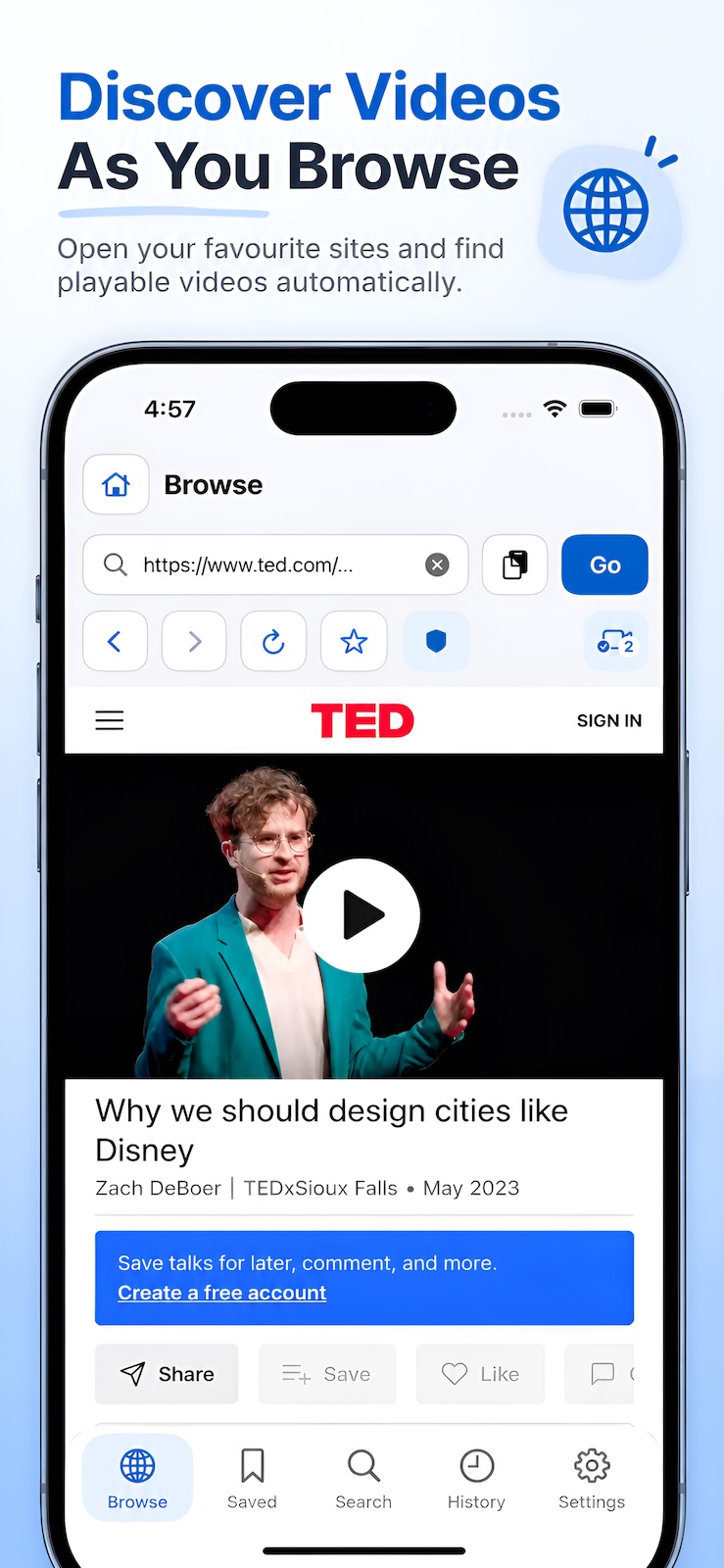
Open your favourite sites in the built-in browser and discover playable video sources on the page.
LESS FRICTION. MORE WATCHING.
Turn scattered links into a collection you can return to. Browse, save and watch with a workflow that feels natural.
Discover playable video sources in the built-in browser. Choose a source to watch in the app, and bookmark your favourite websites for next time.
Organise saved videos into groups and folders. Rename, move, filter and sort your collection, and keep related episodes together.
Cache supported videos while you are connected. Track progress, pause or resume, then watch completed downloads without a connection.
Save detected search sites, enter a keyword and choose where to search. Open the results directly in the built-in browser.
Find recent pages and videos in your history. Saved videos remember your playback position, so you can get straight back to watching.
Cast supported sources to compatible DLNA devices on your network. AirPlay is also available for supported native formats.
START WITH YOUR FIRST VIDEO
Travel films, tutorials and talks worth revisiting. Keep the videos that inspire you, ready for whenever you want to watch.

Built-in interactive tutorials.
Learn as you go.
Paste a URL into Browse or open a bookmarked site. Play a video on the page, then check Captured Sources for detected videos.
Watch a source straight away or save it to a group or folder. Keep related episodes together for an easier return visit.
Resume a saved video, watch a completed cache offline, or cast a supported source to a compatible device.
Bring common video and streaming formats together in a single, organised library.
Playback, caching and casting vary by source, codec and device. See the FAQ for offline and casting limitations.
BEFORE YOU DOWNLOAD
VideoNest is a tool for browsing, playing and organising video sources. It does not include a video catalogue or streaming subscription. Bring your own websites and sources that you have permission to watch.
Detection and playback depend on the sources a website exposes, permissions, format and codec. VideoNest supports HLS, MP4, M4V, MOV, MPEG-DASH and WebM, but compatibility with every website or protected video is not guaranteed.
Save a supported source, then cache it from its video page. Once the download is complete, you can watch offline. HLS, MP4, M4V, MOV and MPEG-DASH support caching; WebM does not currently support it. Website permissions, expiring sources and protection mechanisms can affect availability.
Connect your iPhone or iPad and a compatible DLNA device to the same local network. Allow local network access, then choose a device from the video page. Compatibility depends on the device and format. MPEG-DASH and WebM do not support DLNA or AirPlay casting.
When a website exposes recognisable related episodes, you can organise them into a folder. Episodes with individual page links can be captured sequentially. For episodes that require manual selection on the website, use Capture While Browsing. Availability depends on the website structure.
VideoNestBuild your personal video library on iPhone and iPad.
App Store availability
The official download link will be announced here. Check back for App Store availability.